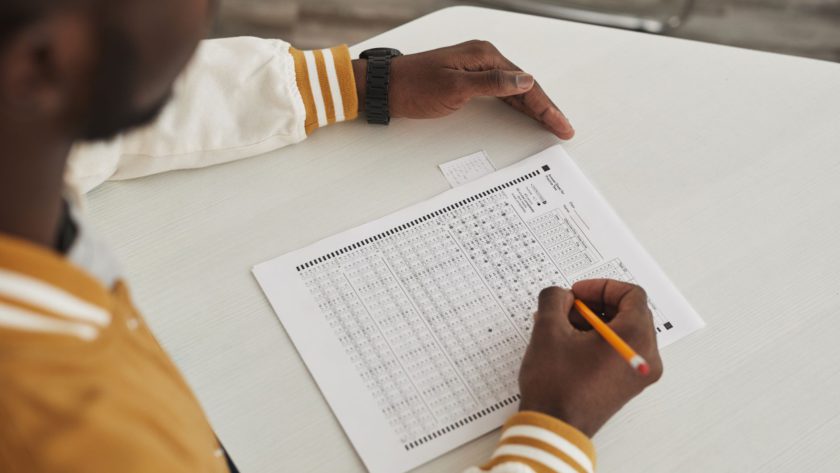
Download NEET PG Answer Key to check your performance once it is released. This guide provides you with clear steps to access the answer key easily.
How to Access the NEET PG Answer Key
Accessing the NEET PG Answer Key is a straightforward process that can significantly aid in your exam preparation. Here are the simple steps to download NEET PG Answer Key once it is released:
- Visit the Official Website: Start by visiting the official website of the National Board of Examinations (NBE).
- Locate the NEET PG Section: Navigate to the NEET PG section of the website where important updates and resources are provided.
- Find the Answer Key Link: Look for the link titled “NEET PG Answer Key 2026” and click on it.
- Log In: You may need to log in using your credentials, such as your application number and password.
- Download the Answer Key: Once logged in, you will be able to view the answer key. Click on the download button to save it to your device.
- Verify Details: After downloading, ensure to cross-check the details for accuracy and completeness.
By following these steps, you can easily download NEET PG Answer Key and use it to assess your performance effectively.
Understanding the Importance of the Answer Key
The NEET PG Answer Key is an essential tool for candidates preparing for the postgraduate medical entrance examination. Understanding its importance can significantly influence the preparation strategy and final results.
Firstly, the answer key provides candidates with the correct answers to the questions asked in the examination. This allows them to evaluate their performance and identify areas of strength and weakness. By comparing their responses with the official answers, candidates can gain insights into their potential scores.
Secondly, utilizing the NEET PG Answer Key can help candidates in formulating effective study plans. By recognizing which topics they struggled with, students can allocate more time to those areas, enhancing their overall preparation.
Moreover, the answer key also plays a crucial role in the challenge process. If candidates believe there is an error in the provided answers, they can raise objections within the stipulated time frame. This can ultimately impact their final scores and admission prospects.
In summary, understanding the importance of the NEET PG Answer Key is vital for candidates aiming to succeed in the examination. Downloading the NEET PG Answer Key is a straightforward yet impactful step in this journey.
Step-by-Step Guide to Download
Downloading the NEET PG Answer Key is a straightforward process if you follow these simple steps. Adhering to this step-by-step guide will ensure that you can access the answer key without any hassle.
- Visit the Official Website: Start by navigating to the official NEET PG examination website. Ensure that you are on the correct page to prevent any confusion.
- Locate the NEET PG Answer Key: Look for the notification or link related to the NEET PG Answer Key. This is usually prominently displayed on the homepage after its release.
- Click on the Link: Once you find the link, click on it to proceed to the download page. You may need to enter certain credentials such as your registration number and date of birth.
- Download the Answer Key: After entering the required information, the answer key will be available for download. Click on the download button and save the file to your device.
- Verify Your Answers: Open the downloaded NEET PG Answer Key and compare your responses to evaluate your performance.
By following these steps, you can easily download the NEET PG Answer Key and take a significant step towards analyzing your results.
Common Issues and Solutions
When attempting to download the NEET PG answer key, candidates may encounter several common issues. Addressing these problems promptly can help ensure a smoother experience. Here are some typical challenges and their solutions:
- Website Traffic: High traffic on the official website can lead to slow loading times or timeouts. Solution: Try accessing the site during off-peak hours or refresh the page periodically.
- Incorrect Login Credentials: Many candidates forget their login details, preventing access. Solution: Use the ‘forgot password’ option to reset your credentials.
- Downloading Errors: Sometimes the answer key may not download correctly. Solution: Ensure you have a stable internet connection and try using a different browser if issues persist.
- File Format Issues: The downloaded file may not open properly. Solution: Ensure you have the necessary software to open the file, such as PDF readers for PDF files.
By addressing these common issues, candidates can more effectively download the NEET PG answer key and utilize it for their exam preparation.
What to Do After Downloading
After you have successfully downloaded the NEET PG Answer Key, it is important to follow a few steps to maximize its usefulness. Here’s what to do next:
- Verify the Answers: Cross-check your responses with the answer key. Highlight any discrepancies to address them later.
- Calculate Your Score: Use the marking scheme provided by the examination authority to estimate your score. This will give you an idea of where you stand among your peers.
- Analyze Your Performance: Identify areas where you performed well and those that need improvement. This analysis can guide your preparation for future exams.
- Stay Updated: Keep an eye on official announcements regarding results or any corrections to the answer key. This ensures that you have the most accurate information.
- Discuss with Peers: Engaging in discussions with fellow candidates can provide different perspectives on the exam and the answer key.
By following these steps, you can effectively utilize the NEET PG Answer Key to enhance your exam preparation and performance in future assessments.
To ensure you have the most accurate information for your preparation, it is essential to Download NEET PG Answer Key as soon as it becomes available. Following the guidelines provided in this article will make it easy for you to Download NEET PG Answer Key without any hassle.
Photo by Andy Barbour on Pexels